Introduction: From a Successful App to an Enterprise Solution
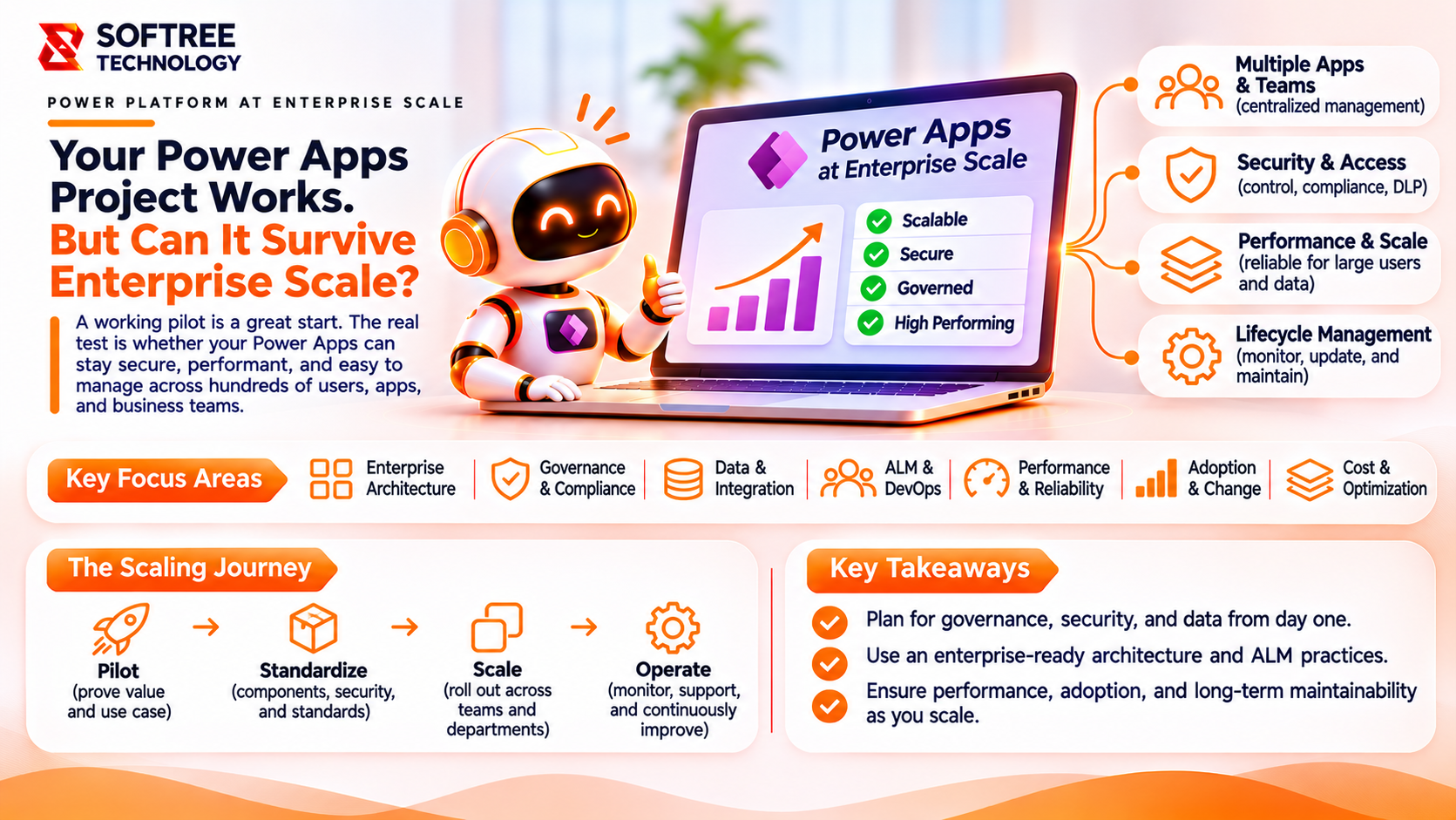
A Power Apps application may work perfectly for a department of 20 employees. Screens load quickly, records are easy to find, and business processes run smoothly. But what happens when the same application needs to support 2,000 or even 20,000 users?
As adoption grows, applications must handle more concurrent requests, larger datasets, additional integrations, stricter security requirements, and higher availability expectations. An architecture designed only for initial requirements may struggle as usage expands.
The challenge is not simply adding more users. It is building a Power Apps architecture that can support growing data volumes, business complexity, security, and operational demands.
Key Takeaways
- Enterprise scalability depends on data architecture, performance, security, and integrations.
- Dataverse can provide structured data management and security capabilities.
- Delegation and efficient queries help applications work with larger datasets.
- Separate development, testing, and production environments support controlled releases.
- Monitoring and performance testing help identify issues before wider deployment.
What We Learned: Designing Power Apps for Enterprise Scale
A scalable Power Apps solution combines an effective user experience with a suitable data platform, efficient business logic, secure access, reliable integrations, and controlled deployment.
1. Understand the Enterprise Architecture
An enterprise Power Apps application should separate the user experience, identity, business logic, data, integrations, and operational controls.
A typical architecture includes:
- User experience: Canvas or model-driven apps provide interfaces for employees and business users.
- Identity and access: Microsoft Entra ID and Dataverse security roles help control application and data access.
- Business logic: Power Fx, Dataverse logic, custom APIs, and Power Automate handle business operations.
- Data layer: Dataverse or another suitable enterprise data source stores business information.
- Integration layer: Connectors and APIs connect applications with ERP, CRM, SharePoint, SQL Server, and other systems.
- Operations: Monitoring, governance, and Application Lifecycle Management (ALM) support reliability and controlled changes.
The objective is to avoid placing every responsibility inside the application itself. Each component should have a defined role.
2. Choose the Right Data Architecture
Data architecture has a direct impact on application performance, maintainability, and security.
Dataverse is suitable for many enterprise applications that require structured business records, relationships, and security capabilities. However, it is not mandatory for every Power Apps project. SQL Server, SharePoint, or other data sources may be more appropriate depending on the workload.
Consider the following before selecting a data source:
- Data volume and relationships.
- Security and access requirements.
- Transaction complexity.
- Integration requirements.
- Reporting and operational needs.
Choose the platform based on actual business requirements rather than using the same data source for every application.
3. Optimize Performance and Data Retrieval
An application that works with a small dataset may experience performance problems when data volumes increase.
Important optimization practices include:
- Use delegation so supported queries execute at the data source.
- Retrieve only the records and columns required by each screen.
- Avoid loading unnecessarily large datasets into collections.
- Optimize application loading and data retrieval.
- Move complex or repeated operations to suitable server-side logic, such as Dataverse custom APIs.
Nondelegable queries can process only a limited number of records locally: 500 by default, configurable up to 10,000. Increasing this limit does not replace proper delegation design.
4. Implement Security and Access Controls
Enterprise applications often serve different departments, roles, and locations. Users should access only the information and operations required for their responsibilities.
Recommended practices include:
- Use Microsoft Entra ID for identity and authentication.
- Configure Dataverse security roles and appropriate sharing permissions.
- Apply least-privilege access.
- Review permissions for different user groups.
- Separate environments according to development and production requirements.
Security should be considered during architecture design rather than added after the application is built.
5. Build Reliable Integrations and Business Logic
Enterprise Power Apps frequently interact with systems such as ERP, CRM, HR platforms, SharePoint, and SQL Server.
Power Automate can manage workflows, notifications, and approvals, while connectors and APIs enable communication with external systems. Dataverse custom APIs can centralize complex operations and reduce repeated client-server calls.
Integration design should also account for error handling, data validation, authentication, and monitoring.
6. Establish Application Lifecycle Management
A production application needs a controlled process for development, testing, deployment, and maintenance.
Organizations should:
- Separate development, testing, and production environments.
- Use solutions and Power Platform pipelines for controlled deployments.
- Maintain version control and deployment documentation.
- Establish release approvals and rollback procedures.
- Monitor application performance, Dataverse operations, and workflow failures.
These practices reduce the risk of untested changes reaching business users.
Practical Example: Scaling an Enterprise Operations App
Consider a company that initially builds a Power App for 20 employees to submit equipment requests. The application stores requests, sends notifications, and tracks approvals.
As the company expands, 20,000 employees across multiple locations begin using the application. It must now support more requests, different access permissions, approval workflows, and integrations with inventory and HR systems.
A scalable workflow could operate as follows:
- An employee submits an equipment request through Power Apps.
- The application validates the user's identity and access.
- Dataverse stores the request and related business records.
- Business rules validate the request.
- Power Automate manages approval notifications.
- A manager or IT team reviews the request.
- The application updates the request and inventory information.
- The employee receives a notification, while administrators monitor the process.
The architecture separates application interaction, data management, business rules, and workflow operations instead of relying on one application to handle everything.
When Should You Review Your Power Apps Architecture?
Review your architecture before expanding an application when:
- More departments or locations are adopting it.
- Data volumes are increasing significantly.
- Users experience slow searches, loading, or record updates.
- The application depends on multiple external systems.
- Different user groups require different permissions.
- Business processes are becoming more complex.
- The application has become business-critical.
User count alone does not guarantee performance. Test realistic concurrent usage, data volumes, transaction patterns, and integration behavior.
Production Readiness Checklist
Before an enterprise rollout, verify that:
- Expected user groups and workloads are documented.
- Data models and relationships are reviewed.
- Queries are checked for delegation warnings.
- Application loading and data retrieval are optimized.
- Security roles and permissions are tested.
- Integrations have appropriate error-handling strategies.
- Development, testing, and production environments are separated.
- Deployment and rollback procedures are documented.
- Monitoring and support ownership are established.
- Performance is tested using realistic scenarios.
Next Steps: Build a Power Apps Architecture That Can Scale
A Power Apps application that works for a small team may need architectural improvements before enterprise rollout. Scalability depends on data design, performance, security, integrations, and operational practices—not simply the number of users.
Softree Technology helps organizations with Microsoft Power Platform, custom application development, automation, data analytics, and enterprise application architecture. From Dataverse data modeling and application development to integrations and deployment practices, the focus is on aligning technology with business requirements.
Planning to take your Power Apps application from a small team to enterprise scale? Connect with Softree Technology to discuss an architecture that supports your organization's growth.
https://www.softreetechnology.com/services/offshore-power-platform-development